
Photo Editor APK for Android Download

Android 8.0+
v12.9
43.6MB
Photography
April 18, 2026
Photo Editor Inc
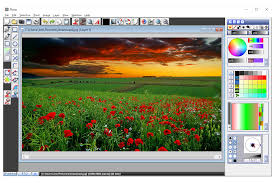
Photo Editor APK – Advanced Mobile Editing with Pro Controls
Photo Editor is a versatile mobile application that delivers professional-level editing tools directly on your smartphone. It is designed for that users who want both quick adjustments and detailed editing without relying on desktop software. With its responsive touch interface, you can easily move from simple corrections to more advanced edits, making it suitable for everyday use as well as full creative projects.
The app supports multiple export formats and sharing options, allowing you to save and distribute your work efficiently. It also includes features like batch processing and metadata management, which help keep your workflow organized. For users who prefer manual installation, the Photo Editor APK is a convenient option, along with an optional ad-free upgrade for a smoother editing experience.
Key Features of Photo Editor
Advanced Color and Tone Adjustments
Photo Editor gives you full control over image color and lighting. You can fine-tune every detail to achieve accurate and professional results.
- Adjust exposure, brightness, and contrast
- Control saturation, hue, temperature, and tint
- Use curves and levels for precise tonal balance
- Edit highlights, shadows, and midtones separately
- Smooth transition between tools without losing progress
Filters and Creative Effects
The app offers a variety of filters and effects to enhance or stylize your images. These tools help transform flat photos into visually appealing results.
- Apply auto contrast and tone correction
- Use gamma and vibrance for color enhancement
- Add blur, sharpen, sketch, or oil paint effects
- Create black & white or sepia styles
- Adjust effect intensity for better control
Precision Editing and Cleanup Tools
Photo Editor includes essential tools to fix common image issues and improve composition.
- Perspective and lens correction for distortion
- Red-eye removal for portraits
- White balance and backlight adjustments
- Crop, rotate, and straighten images
- Resize photos for different platforms
Creative Design and Finishing Tools
You can enhance your images further with creative elements and finishing touches.
- Add text, shapes, and overlays
- Insert additional images for compositions
- Use Clone and Cut Out for selective edits
- Drawing and Pixel tools for custom designs
- Apply frames for a polished final look
- Denoise tool to reduce image grain
Workflow Tools, Formats, and Metadata Control
Photo Editor supports advanced workflow features that make it suitable for bulk editing and professional use.
- Batch editing for multiple images
- Puzzle crop for grid layouts
- Create PDFs and animated GIFs
- Compress files into ZIP format
- Extract frames from GIFs
- Convert SVG files into raster images
- Save in formats like JPEG, PNG, GIF, WebP, and PDF
- Edit or remove EXIF, IPTC, and XMP metadata
- Save to gallery, SD card, or set as wallpaper
Photo Editor Features Overview Table
| Feature | Description |
|---|---|
| Color Control | Advanced adjustments for exposure, tone, and color balance |
| Filters & Effects | Multiple styles including blur, sketch, and vintage looks |
| Cleanup Tools | Fix red-eye, adjust white balance, and correct distortion |
| Creative Tools | Add text, shapes, overlays, and custom drawings |
| Batch Processing | Apply edits to multiple images at once |
| File Formats | Supports JPEG, PNG, GIF, WebP, and PDF |
| Metadata Editing | Manage EXIF, IPTC, and XMP information |
| Export Options | Save to device, SD card, or share directly |
Important Tips Before Using Photo Editor
Before starting your editing process, keep these points in mind to avoid mistakes and improve results:
- Test settings on one image before applying batch edits
- Make small changes when editing metadata to prevent data loss
- Use cleanup tools early for better final output
- Consider upgrading to the ad-free version for distraction-free editing
- Always use the newest version for improved performance and features
Format and Sharing Guide
Choosing the right format is important depending on your needs:
JPEG – Best for general use and social sharing
PNG – Ideal for the images with transparency
WebP – Smaller file size with good quality
GIF – Suitable for simple animations
PDF – Best for documents and fixed layouts
Resize your images according to platform requirements before exporting to ensure better display quality.
How to Use Photo Editor on Android
Follow these simple steps to start editing your photos:
- Open the app and select the photo for your gallery or capture a new one picture
- Adjust brightness, contrast, and exposure first
- Fine-tune colors using saturation, temperature, and tint
- Fix alignment using crop, rotate, and perspective tools
- Apply corrections like red-eye removal and white balance
- Add creative elements such as text, shapes, or overlays
- Compare before and after results
- Export in your preferred format and share via email or social media
Why Choose Photo Editor APK?
Photo Editor is a complete solution for users who want both simplicity and advanced control in one app. It combines powerful tools with an easy interface, making it suitable for beginners and experienced editors alike.
Main Benefits:
- Professional editing tools on mobile
- Supports both quick fixes and detailed workflows
- Wide range of formats and export options
- Batch editing for efficiency
- Flexible and user-friendly design
Final Thoughts
Photo Editor is a reliable and feature-rich app for mobile photo editing. It offers everything from basic adjustments to advanced creative tools, making it ideal for different types of users. Whether you are editing casual photos or working on detailed projects, the app provides flexibility and precision in every step.
If you prefer manual installation, you can install the Photo Editor APK and start editing instantly. For the best experience, always use the latest version to access updated tools and improved stability.
Official Resource
Website: https://www.iudesk.com